Coast Creative
Duesday - Subscription Tracker
Duesday - Subscription Tracker
Couldn't load pickup availability
Duesday
COMING SOON TO iOS / iPhone!
- See your total monthly spend in the menu bar, all the time.
- Add a subscription in about 10 seconds — 215 services built in.
- Get a heads-up before anything renews, with a cancel link one click away.
- Catch free trials before they quietly turn into paid plans.
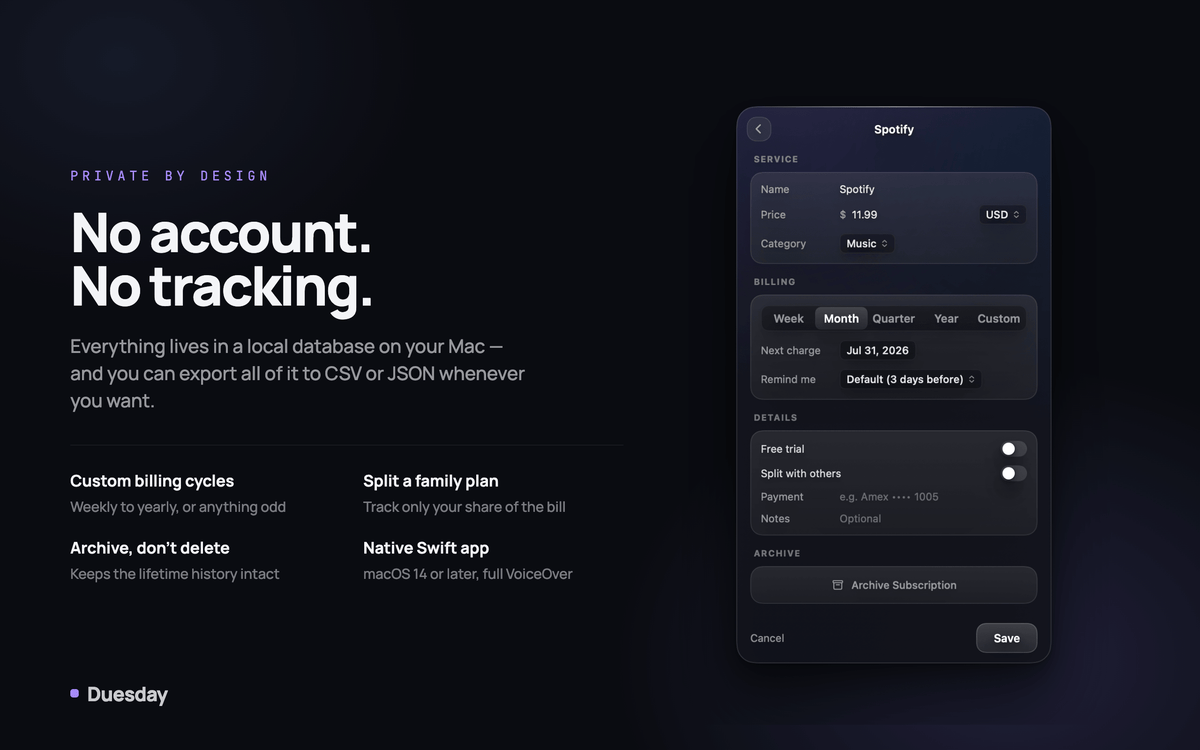
- Everything stays on your Mac. No account, no tracking.
Duesday is the ultimate tool for managing your subscriptions effortlessly. With , you can monitor your subscription spending right from your menu bar, ensuring that you never miss a renewal. The application supports 215 built-in services, allowing you to add subscriptions in a matter of seconds. From popular streaming services to gym memberships, managing your finances has never been easier.
Not only does Duesday keep track of your overall expenditure, but it also sends you timely reminders before each renewal. You'll receive notifications three days before monthly plans and two weeks ahead for yearly subscriptions. Plus, with a straightforward reminder system, you can jump directly to the cancellation page if you decide to opt-out.
Another standout feature of Duesday is its proactive approach to free trials. You can mark any subscription as a trial, and Duesday will notify you three days before it transitions to a paid plan, plus another reminder the day before. This ensures that you stay informed and in control of your finances.
A user-friendly interface streamlines adding new subscriptions. Simply enter a few letters, choose from the recognized services, and confirm the details. For unique plans, a custom form is available to cater to any specific requirements. Duesday also provides insightful charts and breakdowns, displaying your spending categorized over the month and throughout the year, giving you a comprehensive view of your financial habits.
In terms of privacy, stands out by storing all data locally on your Mac without requiring an account or any syncing. You can also export your spending information to CSV or JSON formats at any time, providing you with complete control over your data.
Finally is designed to fit seamlessly into your macOS experience. Built using Swift and focusing on a menu bar-first approach, it runs smoothly on macOS 14 or later, catering to both Intel and Apple Silicon users.
Your Spending, Always Visible
- Total monthly spend lives in the menu bar and updates the moment anything changes.
- Prefer less? Switch to icon-only, or icon plus total.
- A small dot appears when something renews within three days.
Share